A deposit helps cut down on no-shows. When a deposit is turned on, customers who book online pay it through Stripe before their booking is confirmed. The deposit comes off their bill when they check out. If they don't turn up or cancel late, it goes toward your fee.
Deposits apply to online bookings for grooming, daycare and boarding. Bookings you make yourself never ask for a deposit.
Before you start
Deposits are paid through Stripe, so connect Stripe online payments first. Go to Settings, select Payment Options under Payments, and add your Stripe keys.
Step 1: Turn on deposits
Go to Settings and select Organization under Business.
Scroll to the Fees & Policies card.
Under Deposit for online bookings, choose one of the following:
- Fixed: the same deposit for every booking. Enter the amount.
- % of booking: a share of the booking total, after discounts and before tax. Enter the percentage.
Click Save Fees & Policies.
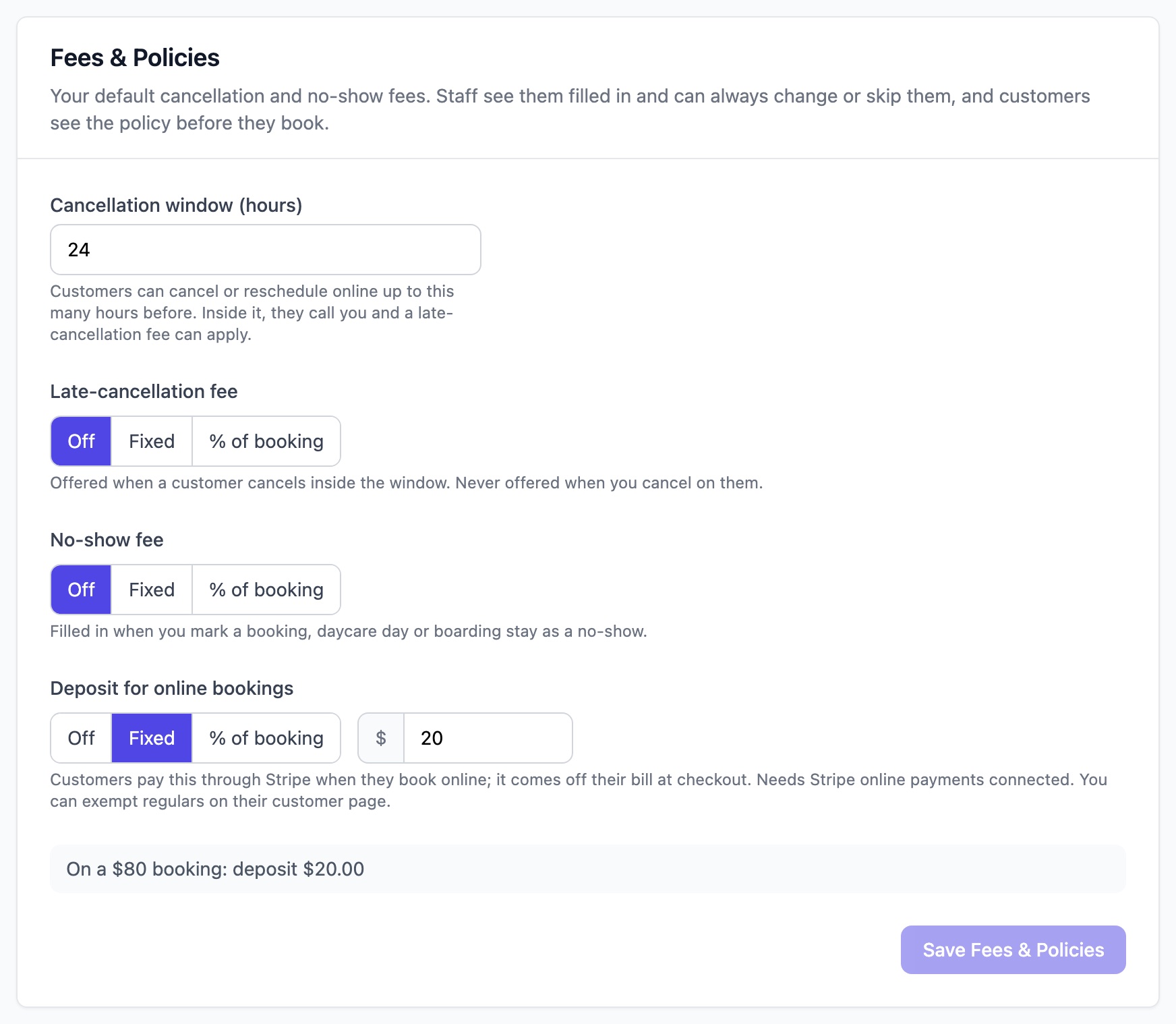
Note: If Stripe isn't connected, you'll see "Connect Stripe online payments before turning on deposits." and the setting isn't saved.
Customers see the deposit in your policy on the online booking page before they book.
Who doesn't pay a deposit
- Bookings you or your staff make.
- Customers you've marked No deposit needed.
- Grooming bookings fully covered by a package or service club.
- Daycare and boarding bookings by customers with an active package for that service.
To let a regular skip the deposit
Open the customer's page.
Tick No deposit needed.

What your customers see
After they book online, they're taken to Stripe to pay the deposit.
Once it's paid, the booking is confirmed and they get the usual confirmation. If you approve online bookings yourself, it waits for your approval as normal.
If they leave without paying, the time is held for them for 30 minutes. They can pay from their bookings by tapping Pay deposit.
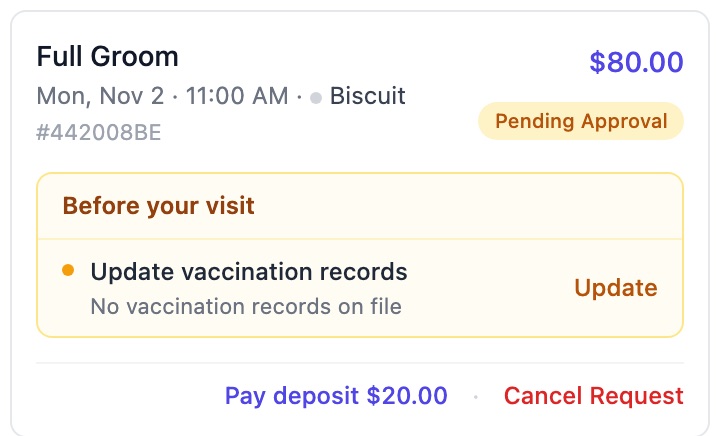
If the deposit still isn't paid after 30 minutes, the booking is cancelled automatically and the time is freed up.
What you see
A booking waiting for its deposit shows Deposit due.
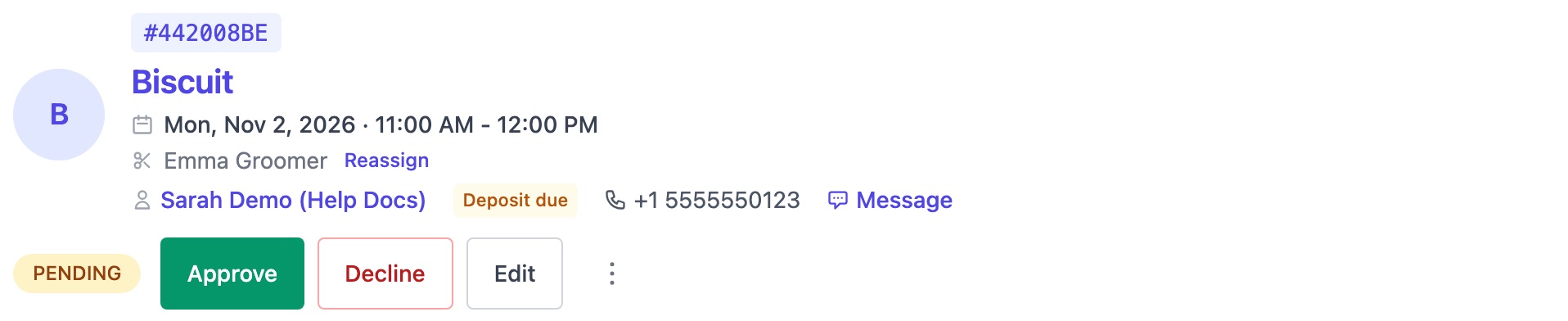
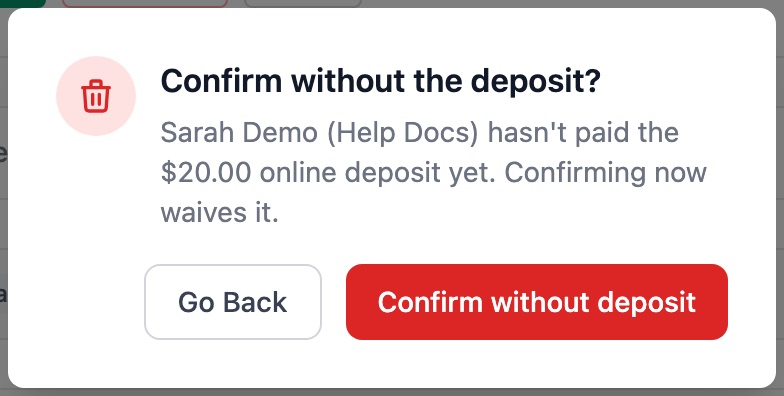
If the customer has already paid you another way, for example in cash, click Approve, then Confirm without deposit. The booking is confirmed without a deposit.
Once the deposit is paid, the booking shows Deposit paid with the amount.

When you check the customer out, the deposit is already on the invoice, so they only pay the balance.
No-shows, cancellations and refunds
- The customer doesn't turn up or cancels late: the deposit goes toward your no-show or late-cancellation fee.
- You cancel the booking: the customer should get their deposit back. Refund it in your Stripe dashboard, then record the refund on the invoice in ThePetsMonk.
- The label shows Deposit refund due: the customer paid after their 30 minutes were up and the time had been taken. Refund the deposit in your Stripe dashboard.