Your cancellation window is how many hours before an appointment a customer can cancel for free. If a customer cancels inside that window, you can charge a late-cancellation fee. You set the fee once, and it's filled in for you whenever a late cancellation is recorded. It's never offered when you're the one cancelling.
The same fee applies to grooming bookings, daycare visits and boarding stays.
Step 1: Set your cancellation window and fee
Go to Settings and select Organization under Business.
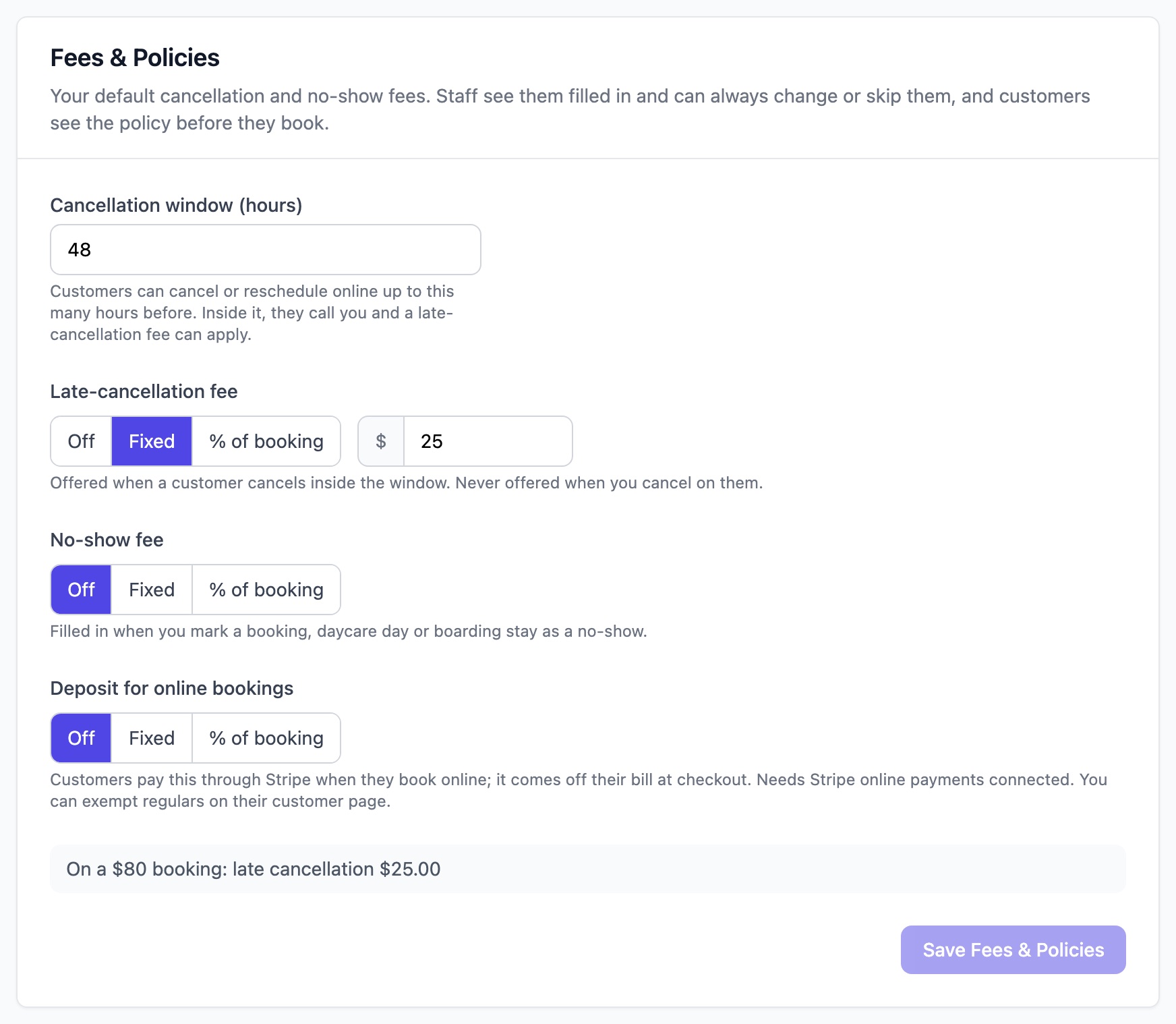
Scroll to the Fees & Policies card.
Enter your Cancellation window (hours), from 0 to 168 (one week). Customers can cancel or reschedule online up to this many hours before their appointment. Inside the window, they're asked to call you instead.
Under Late-cancellation fee, choose one of the following:
- Off: no fee is suggested.
- Fixed: the same amount for every booking. Enter the amount.
- % of booking: a share of the booking total, after discounts and before tax. Enter the percentage.
Click Save Fees & Policies.
Customers see your cancellation policy on your online booking page before they confirm a booking, for example: "Free cancellation up to 48 hours before. Late cancellation: $25.00."
Step 2: Cancel a booking and charge the fee
When a customer phones or messages to cancel inside your window:
Open the booking.
Click the ⋮ menu next to the booking's buttons, then select Cancel Booking. The window tells you the cancellation is inside your cancellation window.
Under Who cancelled?, leave The customer selected.
Charge late-cancellation fee is ticked, with your fee filled in. Change the amount if you need to, or untick it to cancel without a fee.
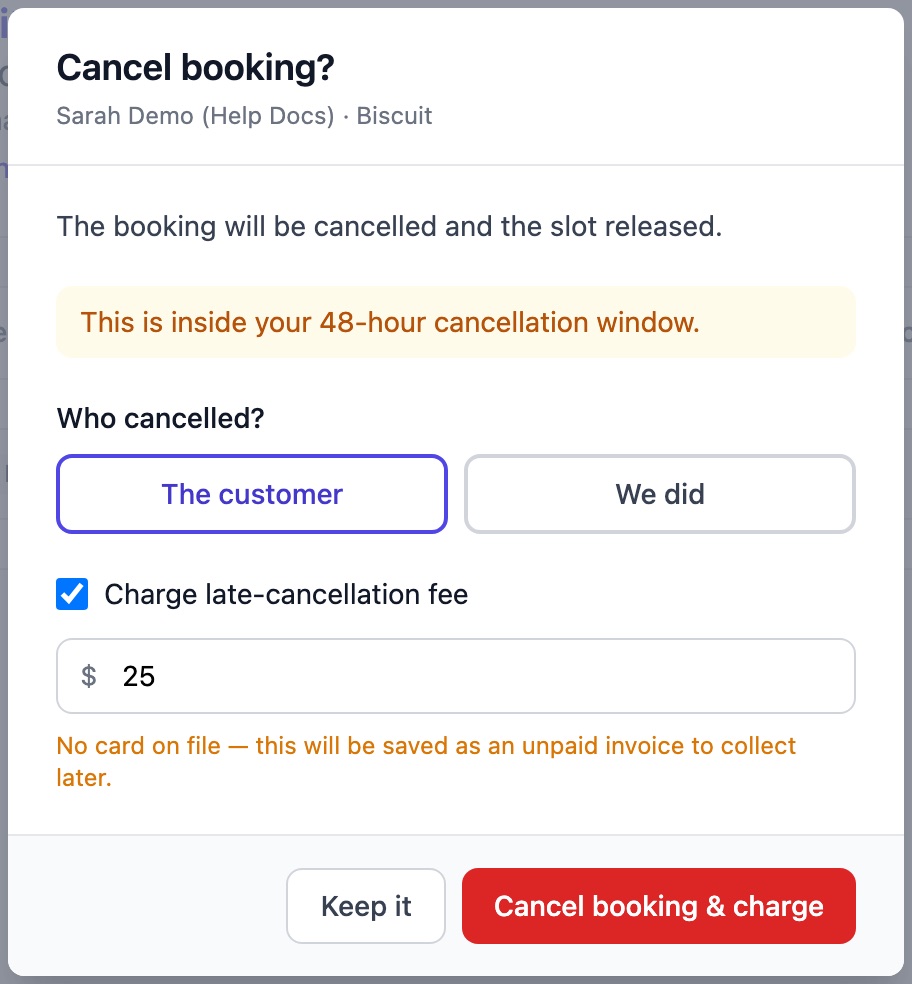
Click Cancel booking & charge.
What happens to the fee
- The customer has a card on file: the card is charged and the invoice is marked paid.
- No card on file: an unpaid invoice with a Late cancellation fee line is created for you to collect later.
- They paid a deposit when they booked online: the deposit goes toward the fee.
When you cancel on the customer
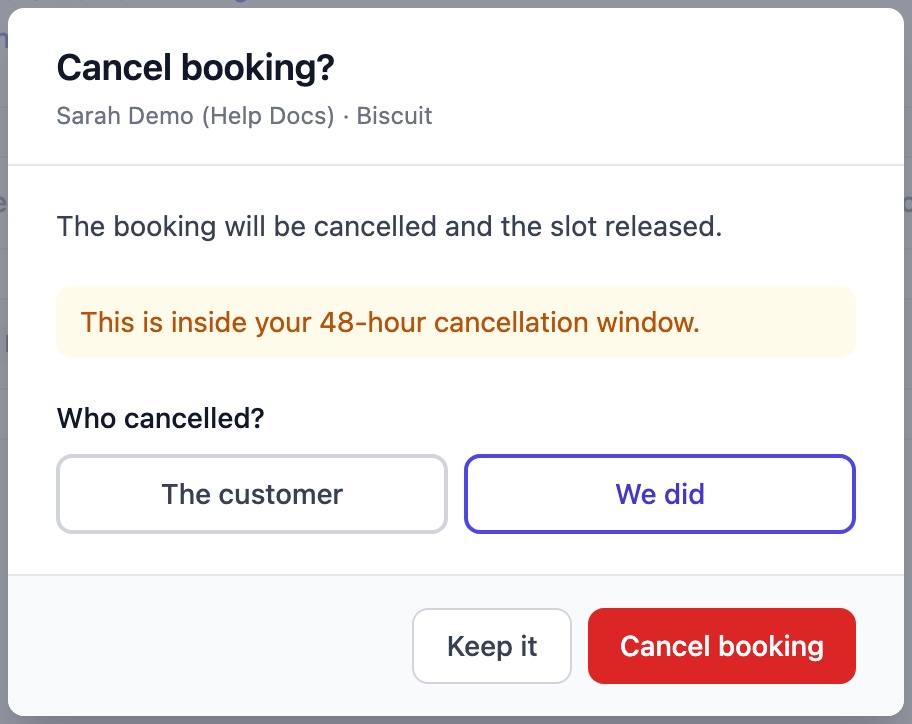
If you need to cancel, for example because a groomer is off sick, select We did under Who cancelled?. No fee is offered, and the button changes to Cancel booking.
Note: Outside the cancellation window, or if your late-cancellation fee is Off, cancelling a booking works as before, with no fee.
Daycare and boarding
Open the daycare visit or boarding stay and cancel it from the ⋮ menu. If the cancellation is inside your window, the same choices appear: Who cancelled?, then the fee.